You are building a live dashboard—perhaps a live stock ticker, an order tracking screen, or an AI text generator like ChatGPT streaming answers line by line. Your immediate instinct might be to pull in WebSockets, as they are the most widely recommended tool for real-time web communication.
However, introducing WebSockets into your stack comes with hidden operational costs. Managing persistent full-duplex connections across scaled servers requires specialized load balancing, socket state tracking, and fallback strategies. For many applications, Server-Sent Events (SSE) offer a far simpler, lighter alternative that operates over standard HTTP.
Understanding the Core Differences
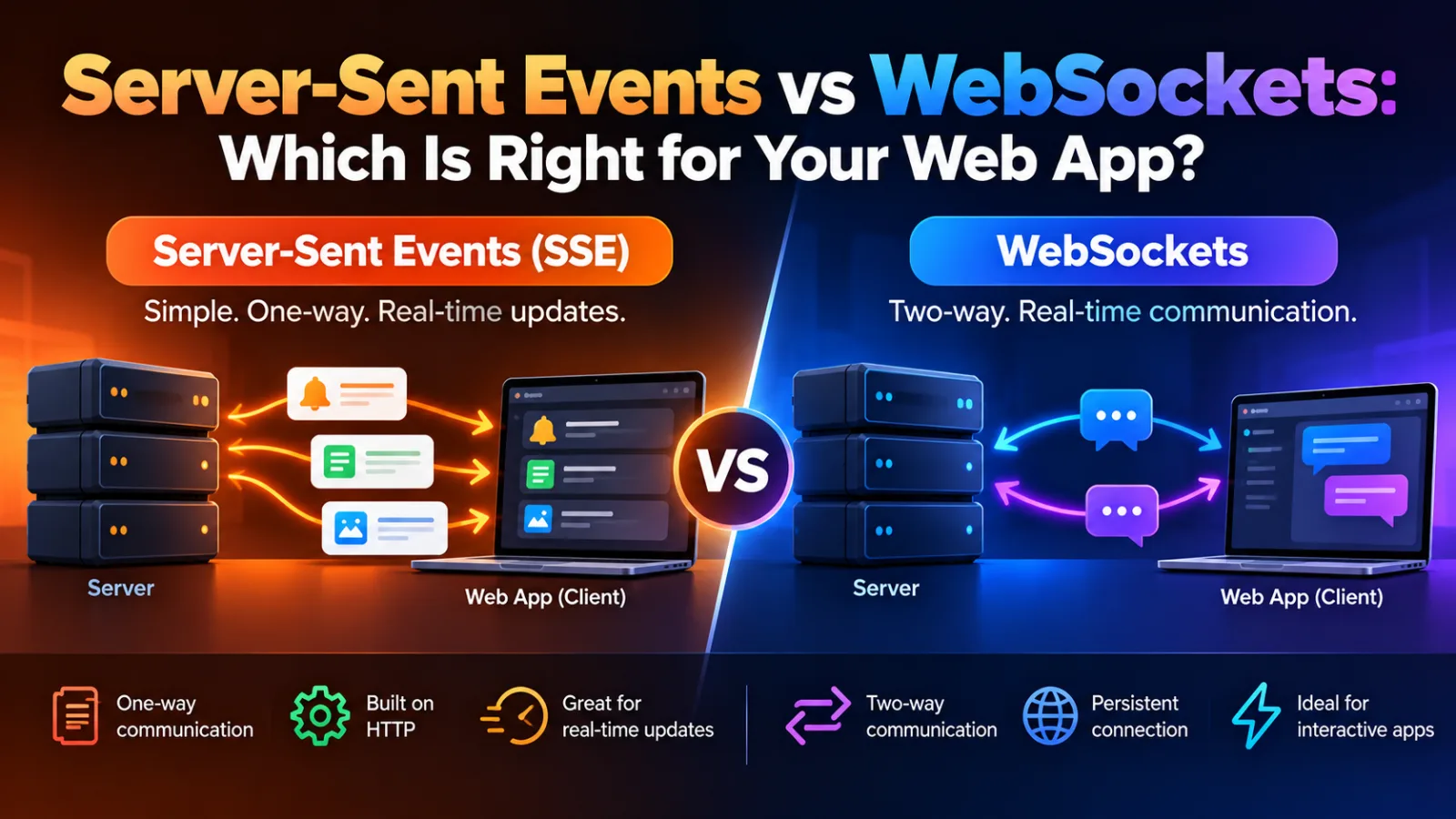
The primary technical distinction between Server-Sent Events and WebSockets lies in data flow directionality and protocol overhead.
- Server-Sent Events (SSE): A unidirectional protocol where the server streams data to the browser over standard HTTP or HTTP/2. The client initiates the connection once, and the server keeps the response stream open indefinitely.
- WebSockets: A bidirectional, full-duplex protocol. It starts as an HTTP connection but quickly upgrades to a persistent TCP socket (
wss://). Both client and server can send messages to each other at any time with minimal overhead.
If your client only needs to receive live updates without frequently pushing data back over the same channel, SSE provides an elegant solution natively supported by modern web browsers.
Implementing Server-Sent Events
Setting up an SSE endpoint on an HTTP server is straightforward. The server responds with a text/event-stream header and keeps the response connection open.
Here is a simple Node.js HTTP server delivering event streams:
import http from 'node:http';

http.createServer((req, res) => {
  if (req.url === '/events') {
    res.writeHead(200, {
      'Content-Type': 'text/event-stream',
      'Cache-Control': 'no-cache',
      'Connection': 'keep-alive',
    });

    const timer = setInterval(() => {
      const payload = JSON.stringify({ time: new Date().toISOString(), value: Math.random() });
      res.write(`data: ${payload}\n\n`);
    }, 2000);

    req.on('close', () => {
      clearInterval(timer);
      res.end();
    });
  }
}).listen(3000);
On the frontend, listening to these events requires zero external libraries using the browser's native EventSource API:
const eventSource = new EventSource('/events');

eventSource.onmessage = (event) => {
  const data = JSON.parse(event.data);
  const logElement = document.getElementById('log');
  if (logElement) {
    logElement.textContent = `Latest update: ${data.time}`;
  }
};

eventSource.onerror = () => {
  console.error('Connection lost. Browsers automatically attempt reconnection.');
};
Notice that EventSource automatically handles reconnection if the network drops out—a feature you would have to write manually when using raw WebSockets.
Implementing WebSockets for Two-Way Traffic
When your app demands real-time two-way communication—such as a collaborative document editor or a multi-player browser game—WebSockets become necessary.
Here is how a basic WebSocket connection looks on the client:
const socket = new WebSocket('wss://example.com/socket');

socket.onopen = () => {
  socket.send(JSON.stringify({ action: 'subscribe', channel: 'chat-room-1' }));
};

socket.onmessage = (event) => {
  const message = JSON.parse(event.data);
  console.log('Received from server:', message);
};

socket.onerror = (error) => {
  console.error('WebSocket Error:', error);
};
Feature Comparison Matrix
Choosing between the two depends on protocol requirements, proxy friendliness, and client-side resilience.
| Feature | Server-Sent Events (SSE) | WebSockets |
|---|---|---|
| Data Direction | Unidirectional (Server → Client) | Bidirectional (Client ↔ Server) |
| Transport Protocol | Standard HTTP / HTTP/2 | TCP (Upgraded from HTTP) |
| Automatic Reconnection | Built-in native browser support | Manual or Third-Party Libraries |
| Data Formats | UTF-8 Text Streams (JSON, Plaintext) | Text & Binary Data (ArrayBuffer, Blob) |
| Infrastructure Overhead | Low (Works with standard HTTP/2 setups) | High (Requires stateful proxies) |
| Connection Limits | 6 per domain (HTTP/1.1), Unlimited (HTTP/2) | Browser / Server socket limits |
Real-World Trade-Offs and Costs
When evaluating infrastructure costs, SSE often wins on architectural simplicity. Say you run an app serving 10,000 active users expecting updates. With HTTP/2 and SSE, you can route requests through standard reverse proxies like Nginx or cloud services without managing persistent socket states.
WebSockets require persistent state management on your backend servers. If your infrastructure scales horizontally across multiple containers, you must introduce a Pub/Sub layer like Redis to broadcast messages across all active WebSocket instances. This can easily turn a simple $20/month or ₹1,500/month app hosting setup into a multi-node architectural challenge costing hundreds of dollars per month.
Wrapping Up
Selecting the right real-time mechanism boils down to evaluating your application's actual communication patterns:
- Audit your data flow: Do users need to stream high-frequency data back to the server over the same pipe, or can they just send standard HTTP POST requests?
- Default to SSE first: If updates flow exclusively from server to client, start with SSE. You gain auto-reconnection, HTTP/2 multiplexing, and standard HTTP authorization headers out of the box.
- Upgrade to WebSockets when necessary: Reach for WebSockets when binary transmission or low-latency client-to-server messaging is mandatory.
By matching the protocol to your exact communication model, you keep your codebase simple, maintain high resilience, and minimize operational costs.